Connection properties
The connection properties dialog can be used to connect to the Moonraker API. The integration is capable of connecting to most Moonraker deployments.
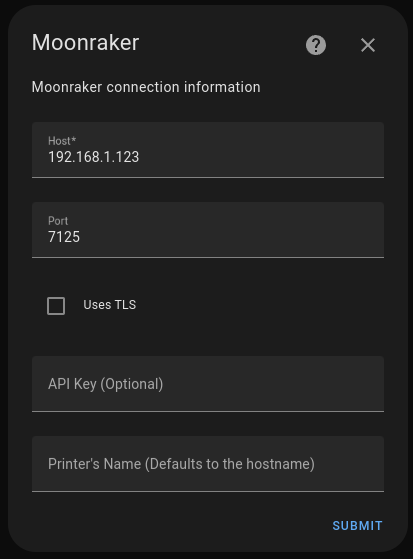
Connection properties can be defined as follows:
name |
default |
description |
|---|---|---|
Host |
None, (required) |
IP address or hostname of Moonraker |
Port |
7125 |
Moonraker port |
Uses TLS |
use encrypted connections |
|
API Key |
Moonraker API key |
|
Printer’s Name |
Host address |
Device name in Home Assistant |
Note: Encrypted connections must be configured in Moonraker API or by using a reverse proxy to connect to Moonraker API.
Polling Rate Configuration
It is possible to change the default polling rate value (30 sec) of the integration.
In the integration configuration, you can set the polling rate manually.
Too small value may overload your Home Assisant setup and your Moonraker setup.
This will setting affects the polling frequency whether or not the printer is printing.
Camera Manual Configuration
Camera URL can be manually defined more details in the Manual Configuration
Unreachable Printer
If you have your printer turned off by a smart switch or the printer is not reachable, the integration will try to connect to the printer every 30 seconds. This is not problematic for the Home Assistant setup, but it may cause some redundent logs in the Home Assistant log file.
To avoid this, you can add a filter to the logger configuration in the Home Assistant configuration file.
logger:
  filters:
    moonraker_api.websockets.websocketclient:
      - ".*Websocket connection error: Cannot connect to host*"